AI agents that just work, from your phone
- Run one command on your computer to launch the guided setup wizard. No API keys, no complex integrations, and no extra cost with the AI subscriptions you already use.
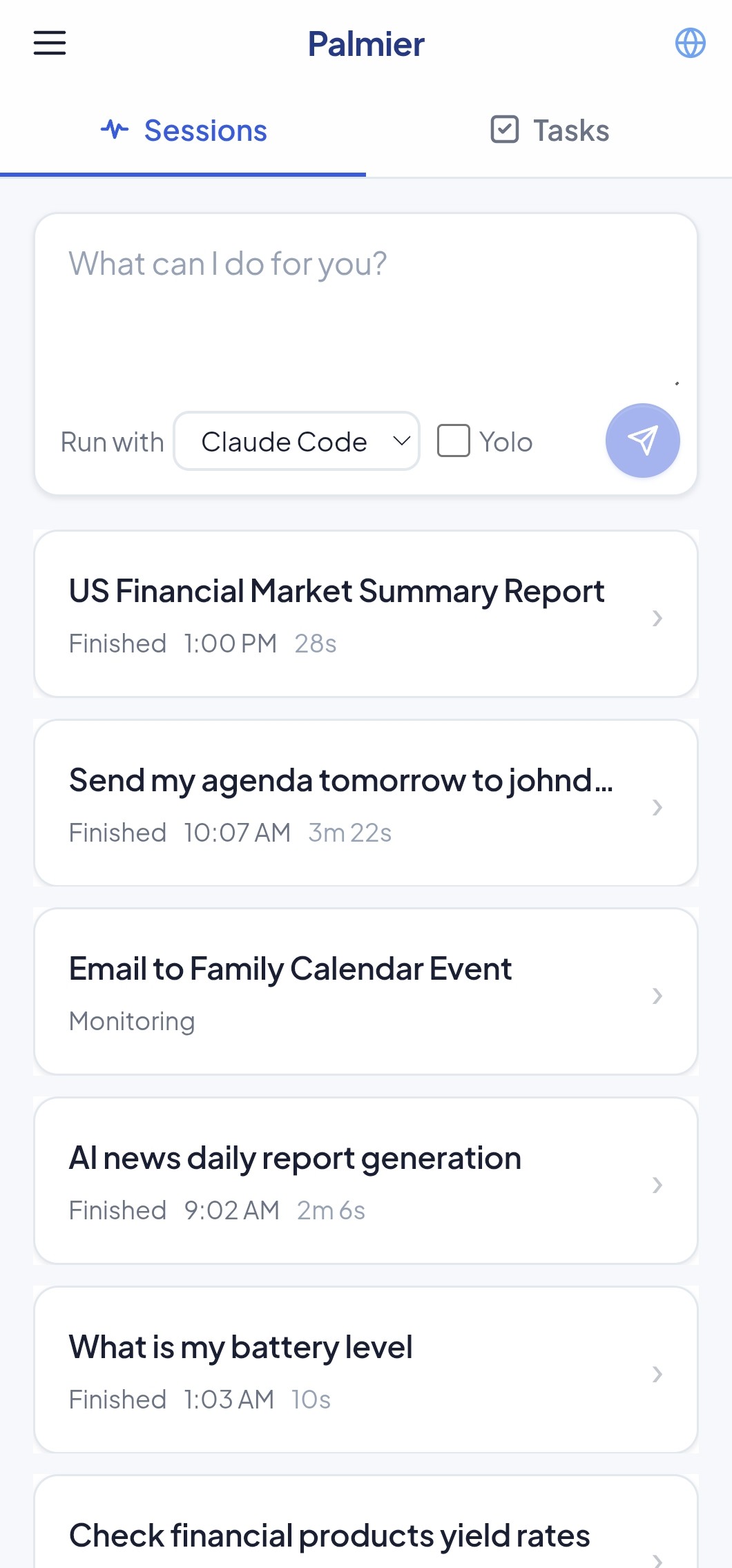
- Start or schedule tasks, check progress, and provide input from your phone.
- Give your agents access to your calendar, contacts, notifications, location, and more.*
Free & open source · no sign-up required
*Enhanced agent access requires installing the Palmier Android app.
Personal AI Assistant With Your Existing AI Subscriptions
Palmier installs supported agents on your computer, so your existing AI subscriptions just work. No extra account, API key, or per-token cost from Palmier. Works with Claude Pro, ChatGPT Plus, and more.
Your Phone Becomes an Agent Remote
Start or schedule tasks, check progress, review results, and respond to agent requests without being at your computer. On the same network, Palmier connects over LAN automatically for lower latency.
Schedule Tasks from Your Phone
Run tasks on a schedule, on demand, or even in response to events — such as when you receive a push notification. Uses native schedulers on Linux, Windows, and macOS.
Give Your Agent Access to Your Phone — On Your Terms
Grant agents the phone capabilities you choose: location, calendar, contacts, notifications, SMS, and sending email. They can also ask for your input when needed.
Built-in Password Manager
Save a site’s password once and let agents sign in for you. Palmier fills it straight into the browser, so your agent completes the login without ever seeing the password. Everything’s stored encrypted on your machine.
Your Agents, Your Machine
Your agents run on your hardware, not ours. Your data stays on your machine — we don’t store it. No sign-up required.
Quick Start
Install Palmier
Install Palmier on your computer, then let setup install and configure supported agent CLIs for you.
curl -fsSL https://palmier.me/install.sh | bashpowershell -c "irm https://palmier.me/install.ps1 | iex"npm install -g palmier && palmier initRequires Node.js 24+.
cmd /c "npm install -g palmier && palmier init"Requires Node.js 24+.
Pick a way to connect
There are several ways to connect to your agents:
- Local (browser) — open
http://localhost:7256on the same computer. No pairing or Palmier server connection required. - PWA — Open the web app in any browser and pair it with a code. You can install it to your home screen and receive web push notifications.
- Android app — Download the Android APK, and pair it with a code. It unlocks phone capabilities like GPS, email, calendar, contacts, SMS, and alarms, and supports automatic LAN connections for lower latency on the same network.
iOS app coming soon.
Create & manage tasks
Create or schedule a task, and let Palmier handle execution and follow-up.